
Email domain warming is the deliberate, rule-driven process of building a sender reputation by gradually increasing your sending volume and generating positive engagement signals before you launch high-volume outreach. The goal is simple: get your mail into primary inboxes instead of spam folders. Three things need to happen before you send a single cold email. First, validate your SPF, DKIM, and DMARC records — authentication failures are the primary reason warm-ups fail. Second, start with manual, human-to-human sends to your most engaged contacts (opened or clicked in the last 30 days). Third, once those early signals look healthy, activate a measured automated ramp if you're scaling beyond two mailboxes.
Realistic timeline: generally expect several weeks for a brand-new domain and fewer weeks for an established but inactive one. Do not send bulk outreach until authentication passes. That's the single rule that saves most warm-ups from failing in week one.

Table of Contents
- What Does a Tactical Email Domain Warming Schedule Look Like?
- The Pre-Warm Checklist You Need Before Sending Anything
- How Reputation Actually Gets Built: Domain, IP, and Mailbox
- What Metrics Should You Track During Warm-Up?
- Manual vs. Automated Warm-Up: Which Approach Fits Your Situation?
- How to Diagnose and Fix Warm-Up Failures
- Compliance During Domain Warming: CAN-SPAM and CASL
- Key Takeaways
- How an SDR Team Actually Integrates Warm-Up Into a Campaign
- Raki Solutions Handles the Warm-Up So Your Team Can Focus on Pipeline
- Useful Sources and Tools to Bookmark
- The Part Most Warm-Up Guides Won't Tell You
What Does a Tactical Email Domain Warming Schedule Look Like?
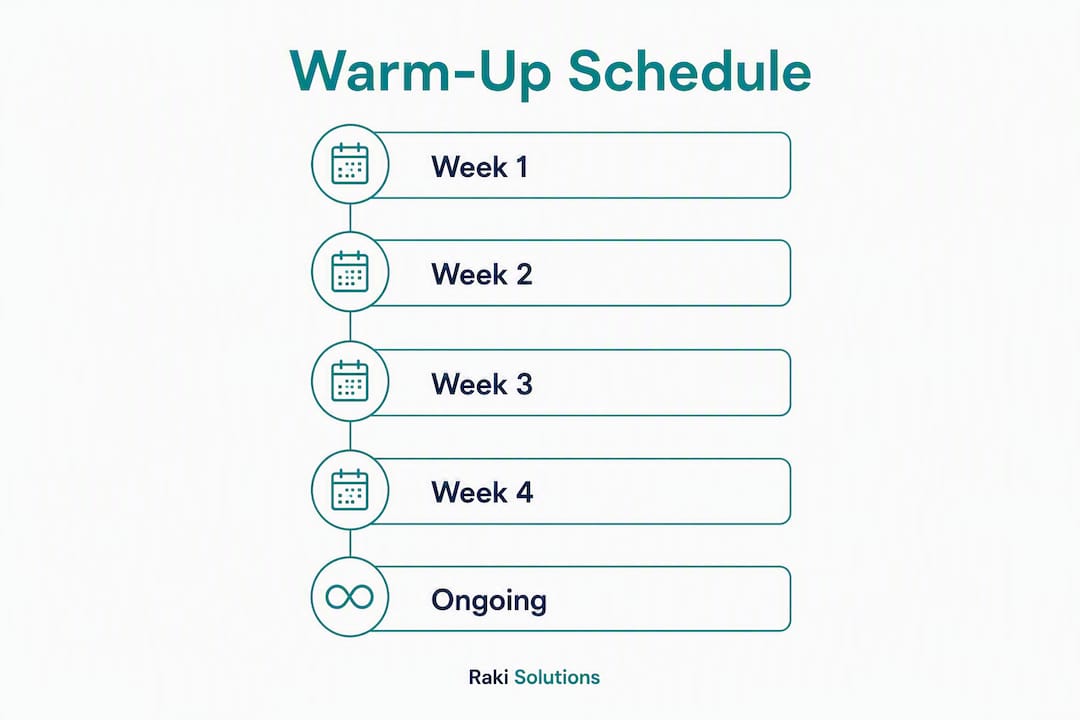
A warm-up schedule is not one-size-fits-all. A brand-new domain needs a conservative ramp lasting multiple weeks. A domain that sent actively six months ago and went quiet can move faster — roughly half the time — because some reputation signal still exists with providers.

The core progression rule: never increase your daily volume by more than 1.5x from one stage to the next, and distribute sends across the business day rather than firing them all at once.
Sample ramp schedule for new domains (28-day table)
| Week | Daily Volume | Cohort Mix | Cold Sends Allowed? |
|---|---|---|---|
| Week 1 | 10–20 | 100% top engaged (opened/clicked last 30 days) | No |
| Week 2 | 25–50 | 80% engaged (30–90 day actives), 20% warm | No |
| Week 3 | 60–100 | 70% engaged, 20% warm, 10% cold | Yes, limited |
| Week 4 | 120 | 60% engaged, 25% warm, 15% cold | Yes, expanding |
For an inactive but established domain, compress weeks 1–2 into a single week and start at 25–30 daily sends, provided your bounce and complaint rates stay clean.
Cohort sequencing matters more than volume. Mailbox providers weight engagement depth heavily — recent opens, clicks, and replies carry far more signal than raw send counts. Week 1 should be entirely contacts who engaged in the last 30 days. Weeks 2–3 expand to 30–90 day actives. Only after metrics are healthy do you introduce 90–120+ day inactives, and even then keep them under 15% of daily volume.
When you do introduce cold sends in week 3, pair them with warmup sends at roughly a 1:1 ratio. For every cold email you send, a warmup send should be running in parallel to maintain the positive signal baseline.
Pro Tip: Use a send-time randomizer in your ESP or warmup tool. Sending 50 emails at exactly 9:00 AM looks like a bot. Spreading them between 8:45 AM and 4:30 PM with randomized intervals mimics human behavior and avoids triggering provider heuristics.
- Set up your warmup tool or manual send cadence before day one.
- Send only to top-engaged contacts in week one — no exceptions.
- Check metrics every 48 hours before advancing to the next volume tier.
- Introduce cold sends only after open rates on warmup sends exceed 80%.
- Run maintenance warmup (15–20 sends per mailbox per day) indefinitely after the ramp completes.
The Pre-Warm Checklist You Need Before Sending Anything
Skipping this checklist is the fastest way to waste four weeks of warm-up effort. Get these right first.
DNS and authentication
- SPF: Add a TXT record listing your authorized sending servers. Validate at MXToolbox.
- DKIM: Configure signing keys (note the selector names) in your ESP and confirm the DNS record resolves correctly. Run a test send to mail-tester.com and verify the DKIM pass.
- DMARC: Start with
p=noneto collect data without blocking mail. Move top=quarantineafter 2–3 weeks of clean reporting, thenp=rejectonce you're confident in your sending infrastructure. - Reverse DNS (PTR): If you're on a dedicated IP, confirm your PTR record resolves back to your sending hostname. Shared ESP infrastructure handles this for you.
SPF, DKIM, and DMARC must all be configured and validated before you start. One missing record and Gmail or Yahoo will filter you immediately.
Domain procurement and aging
Buy a secondary sending domain — a close variant of your primary domain — specifically for outreach. Keep your primary domain clean for transactional mail. Wait 2–4 weeks after registration before warming when possible; brand-new domains registered yesterday look suspicious to providers.
Stick to conventional TLDs like .com. Obscure TLDs and WHOIS privacy masking both increase provider suspicion. Make your WHOIS data accurate and public.
Monitoring accounts to register before day one
- Google Postmaster Tools (register your sending domain)
- Microsoft SNDS (Smart Network Data Services)
- Your ESP's deliverability dashboard
Audience hygiene
An analysis of 365,000+ B2B address verifications found roughly 26.9% were invalid. Sending to a dirty list during warm-up doesn't just hurt one campaign — it can wipe out weeks of reputation gains in a single send. Use real-time address verification at lookup, not batch verification, because batch-verified lists go stale quickly and will raise bounce rates during warm-up. Remove any address inactive for more than 90 days from your early cohorts.
For week one, seed your list with engaged internal contacts and partner contacts who will genuinely open and reply — roughly 26.9% of B2B addresses may be invalid, so only use contacts recently verified as active.
Pro Tip: Set up a custom tracking domain separate from your sending domain. Shared tracking domains from your ESP can carry reputation baggage from other senders. A dedicated tracking subdomain (e.g., track.yourdomain.com) keeps your signals clean.
How Reputation Actually Gets Built: Domain, IP, and Mailbox
Most senders conflate these three, and that confusion leads to bad decisions during warm-up.
Mailbox reputation is tied to a single sending address (yourname@yourdomain.com). It's the most granular signal and the one that degrades fastest when you go quiet. Domain reputation aggregates signals across every address on your domain — it's what Google Postmaster Tools reports. IP reputation is tied to the server sending your mail, and it only becomes your direct concern when you're on a dedicated IP.
On shared ESP infrastructure (SendGrid's shared pool, Mailgun's shared IPs), the ESP manages IP reputation. Your job is domain and mailbox warm-up. On a dedicated IP, you must warm the IP and the domain simultaneously — they are complementary, and contradictory signals between them confuse ISPs.
The signals providers weight, roughly in order of importance:
- Replies (strongest positive signal — a human responded)
- Spam rescues (a recipient moved your message from spam to inbox)
- Opens (positive but increasingly unreliable due to Apple MPP)
- Clicks (positive engagement signal)
- Forwarding (rare but powerful)
- Spam complaints (negative, weighted heavily)
- Hard bounces (negative, signals list quality problems)
Timing behavior is as important as volume. Advanced warm-up setups randomize send times and inter-send intervals to avoid bot-like bursts that trigger provider heuristics — the goal is to look like a human, not a scheduler.
What Metrics Should You Track During Warm-Up?
You need a weekly snapshot window and real-time alerts for spikes. Assign one person to own this during the ramp — deliverability noise during warm-up requires fast decisions, not committee reviews.
Required metrics and thresholds:
- Spam complaint rate: Keep below 0.08%. Pause the ramp immediately if it hits 0.10% or above. Gmail and Yahoo enforce strict complaint thresholds for high-volume senders, and exceeding them triggers immediate filtering.
- Bounce rate: Stay under 2%. If you're approaching that number, stop and verify your list before advancing.
- Open rate on warmup sends: Target 80%+ in weeks 1–2. Dropping below 60% is a signal to hold your current volume level.
- Reply rate: Strong replies in week one are your best early indicator that reputation is building.
- Inbox placement by provider: Use a tool like GlockApps or Mail-Tester to check where mail lands at Gmail, Outlook, and Yahoo specifically.
- Google Postmaster domain reputation: Watch for "Bad" or "Low" ratings — these require immediate action.
- Blacklist status: Run weekly checks on MXToolbox's blacklist lookup.
Signal-driven decisions:
Hold your current volume for 2–3 days before advancing to the next tier — don't rush the ramp just because one day looked clean. If complaints spike, reduce to the previous safe volume and hold there for 3–5 days. If inbox placement drops below 70% at a major provider, treat it as a pause signal, not a minor fluctuation.
Manual vs. Automated Warm-Up: Which Approach Fits Your Situation?
The answer depends almost entirely on scale. Manual warm-up works for 1–2 mailboxes; at 10 or more mailboxes, or when you need concurrent maintenance warm-up across an active outbound team, automation is the practical choice.
What automated warm-up tools typically do:
- Send and receive emails within a peer network of real mailboxes (Gmail, Outlook, Yahoo)
- Auto-open messages, generate replies, and mark messages as "not spam"
- Randomize send timing and inter-send intervals
- Provide a deliverability dashboard showing inbox placement trends
- Run maintenance warm-up in the background while your SDRs send live campaigns
Decision checklist for choosing manual vs. automated:
- 1–2 mailboxes, week one only: manual human sends to real contacts
- 3+ mailboxes or ongoing maintenance: automated warm-up tool
- Scaling cold outreach across a team: automated tool with peer network coverage across all major providers
Platforms to evaluate:
Instantly is built specifically for cold outreach teams running multiple mailboxes. It handles automated warm-up within its own sending network and integrates directly with its sequencing tool, making it practical for SDR teams that want warm-up and outreach in one place.
Mailgun is a developer-focused sending API with deliverability infrastructure and domain warm-up guidance baked into its documentation. It's a strong choice when you're building custom sending pipelines or need transactional and outbound mail from the same infrastructure.
SendGrid offers shared and dedicated IP options with a structured warm-up schedule for dedicated IP users. Its deliverability tools and IP warm-up documentation are detailed, and it suits teams that need both marketing and transactional sending under one roof.
Practical integration checklist for any warm-up tool:
- Connect via SMTP/IMAP or OAuth (not just API keys — IMAP access is needed for inbox actions)
- Validate DKIM signing is active on the connected mailbox
- Confirm the warm-up network includes Gmail, Outlook, and Yahoo mailboxes
- Set daily volume caps that match your current ramp stage
- Enable inbox placement reporting before day one
How to Diagnose and Fix Warm-Up Failures
Most warm-up failures trace back to one of five causes: missing or misconfigured DNS authentication, sending to stale lists, burst sending patterns, ISP-specific throttling, or a domain that's too new and flagged on age alone.
Step-by-step diagnostic process:
- Run SPF, DKIM, and DMARC checks on MXToolbox. A failing record here explains most filtering problems immediately.
- Run an inbox placement test using GlockApps or Mail-Tester. Identify which providers are filtering you and which are passing.
- Pull a sample of 50–100 recipient addresses from your recent sends and run them through a real-time verifier. If more than 5% bounce, your list is the problem.
- Check Google Postmaster Tools for domain reputation rating and spam rate trends.
- Check Microsoft SNDS for IP-level complaint data if you're on a dedicated IP.
Pause and recovery playbook:
- Hold the ramp immediately. Do not advance volume.
- Drop back to the previous safe daily volume and hold there for 3–5 days.
- Re-verify your list and remove any addresses that bounced or complained.
- Run targeted manual human replies and spam-rescue actions (move messages from spam to inbox) to rebuild positive signals.
- Resume the ramp at a slower pace — 1.2x increases instead of 1.5x.
Pro Tip: The single most powerful recovery signal is a spam rescue: a real person moving your message from the spam folder into the inbox. If you're in recovery mode, ask a handful of trusted contacts to do exactly this. It sends a direct positive signal to the provider.
When to abandon the domain and start fresh:
If you've run two full recovery cycles and inbox placement at Gmail or Outlook stays below 50%, or if you're on a persistent blacklist that won't delist after remediation, a new sending domain is the faster path. Cut your losses, register a new variant domain, and start the ramp correctly from day one.
Compliance During Domain Warming: CAN-SPAM and CASL
Warm-up sends are still commercial email, and US law applies from your first send.
CAN-SPAM (the federal standard in the US) requires every commercial email to include a physical mailing address, a clear and honest subject line, a functioning unsubscribe mechanism, and prompt processing of opt-out requests within 10 business days. These rules apply to cold outreach emails, not just marketing newsletters. During warm-up, when you're sending to engaged contacts and small cold cohorts, every message needs to meet these requirements.
CASL (Canada's Anti-Spam Legislation) is stricter and requires express or implied consent before sending commercial electronic messages to Canadian recipients. If any of your warm-up cohort includes Canadian addresses, you need documented consent. CASL violations carry significant penalties, and "we were warming up" is not a defense.
Practical steps during warm-up: include your physical address in every send, use honest subject lines that reflect the email's content, and honor unsubscribe requests immediately. Keep a suppression list active from day one and sync it across every mailbox you're warming.
This is general information, not legal advice. Confirm your specific obligations with a qualified attorney or review the FTC's CAN-SPAM guidance and the CRTC's CASL resources directly.
Key Takeaways
A successful email domain warming strategy requires authentication before anything else, a disciplined volume ramp, and ongoing maintenance — skipping any one of these three will cost you more time than doing them right from the start.
| Point | Details |
|---|---|
| Authenticate before day one | SPF, DKIM, and DMARC must all pass validation before your first warm-up send. |
| Follow the 1.5x rule | Never increase daily send volume by more than 1.5x per stage; hold each level for 2–3 days before advancing. |
| Start with engaged contacts | Week one sends go only to recipients who opened or clicked in the last 30 days. |
| Monitor complaint and bounce thresholds | Pause immediately if spam complaints hit 0.10% or bounce rate approaches 2%. |
| Maintenance warm-up never stops | Run 15–20 warm-up sends per mailbox per day indefinitely to prevent reputation drift. |
| Raki Solutions for managed execution | Teams expanding into APAC and ANZ can delegate warm-up and outbound execution to Raki Solutions' dedicated SDR service. |
How an SDR Team Actually Integrates Warm-Up Into a Campaign
The warm-up process doesn't exist in isolation. It's infrastructure, and it needs to fit inside a real outbound workflow.
Week 0 is prep: register Google Postmaster Tools and Microsoft SNDS, configure DNS records, buy and age the sending domain, build your week-one cohort from your most engaged contacts, and set up your ESP or warm-up tool. This week has no sends — just setup and verification.
Week 1 is manual. The SDR (or whoever owns the mailbox) sends personal, human emails to real contacts and replies to responses. No automation yet. The goal is to generate genuine engagement signals that providers can see and trust.
Weeks 2–4 shift to automated ramp plus light cold sends. The warm-up tool runs in the background while SDRs begin actual outbound sales cadences using the warmed mailboxes. Cold sends stay within the volume limits of the current ramp stage.
Team roles matter. Someone in revenue operations or marketing ops owns DNS and authentication — SDRs should not be editing DNS records. A dedicated person monitors deliverability dashboards daily during the ramp. SDRs own list hygiene for their own cohorts and flag any unusual bounce or reply patterns immediately.
Operational controls: define a pause rule in advance ("if complaint rate hits 0.08%, we hold and escalate") so the decision isn't made under pressure. Keep transactional domains completely separate from outbound sending domains. A complaint spike on your outreach domain should never touch your product notification emails.
Once mailboxes are warmed and cadences are running, clean, verified prospect lists become the limiting factor on pipeline output — not deliverability.
Raki Solutions Handles the Warm-Up So Your Team Can Focus on Pipeline
Outbound teams expanding into APAC and ANZ face a specific problem: warming multiple mailboxes, managing deliverability across time zones, and running qualified outreach simultaneously is a full-time operational job. Most growth-stage B2B teams don't have that bandwidth sitting idle.
Raki Solutions provides dedicated SDR teams that handle the entire outbound stack — domain warm-up, authentication setup, list hygiene, multi-channel outreach via email and LinkedIn, and weekly performance reporting. You get guaranteed qualified meetings, not just activity metrics. The warm-up infrastructure runs in the background while your SDRs focus on conversations that move pipeline.
For teams targeting APAC and ANZ decision-makers, Raki Solutions brings regional expertise that a generic warm-up tool or freelance SDR can't replicate: knowledge of local buying cycles, the right contact sourcing for those markets, and outreach messaging calibrated for the region.
Book a discovery call with Raki Solutions to see what a managed outbound engagement looks like for your expansion goals.
Useful Sources and Tools to Bookmark
These are the primary resources to register and check throughout your warm-up lifecycle:
- Google Postmaster Tools: Register your sending domain here before day one. Tracks domain reputation, spam rate, and delivery errors at Gmail — check it weekly during the ramp and daily if you suspect a problem.
- Microsoft SNDS: Microsoft's Smart Network Data Services shows complaint rates and filtering signals for Outlook/Hotmail recipients. Essential if any significant portion of your list uses Microsoft email.
- MXToolbox: Run SPF, DKIM, DMARC, and blacklist checks here. Use the blacklist monitor for ongoing alerts.
- Mail-Tester: Send a test email to a generated address and get a spam score with specific authentication and content feedback. Useful before launching each new warm-up stage.
- Microsoft's warm-up guidance for marketing senders: Microsoft's own documentation on warm-up best practices for Outlook/Exchange deliverability — authoritative and worth reading before you start.
- Mailgun's domain warm-up documentation: Covers domain and IP reputation mechanics in detail, particularly useful if you're on a dedicated IP or building a custom sending pipeline.
- Customer.io domain warming guide: Detailed send-pacing guidance and the 1.5x progression rule explained with practical examples.
The Part Most Warm-Up Guides Won't Tell You
The conventional advice on email domain warming focuses almost entirely on the ramp schedule. Get the numbers right, follow the curve, and you'll be fine. That's true as far as it goes — but it misses the more important operational reality.
Warm-up fails most often not because someone sent 250 emails on day three instead of 50. It fails because the list was dirty, the authentication was half-configured, or the team treated warm-up as a one-time event rather than ongoing infrastructure. The ramp schedule is the easy part. The discipline to run maintenance warm-up indefinitely, to re-verify lists before every new cohort, and to actually pause when metrics signal a problem — that's where most teams fall short.
There's also a tendency to over-automate too early. Automated warm-up tools are genuinely useful at scale, but they simulate engagement. Real human replies in week one carry a signal weight that no peer network can fully replicate. The teams that warm up fastest are the ones who spend week one doing the boring work: sending personal emails, getting real replies, and treating deliverability as a relationship with the provider rather than a technical checkbox.
The other underestimated factor is the sending domain itself. Teams that use their primary domain for cold outreach are taking a risk that compounds over time. A single bad campaign on your primary domain can damage the reputation that your transactional emails depend on. A secondary sending domain is cheap insurance, and the warm-up process is the right time to build that separation into your infrastructure permanently.